
Token Alma
Panel üzerinden uygulama oluşturduktan sonra aşağıdaki işlemlere geçilir.
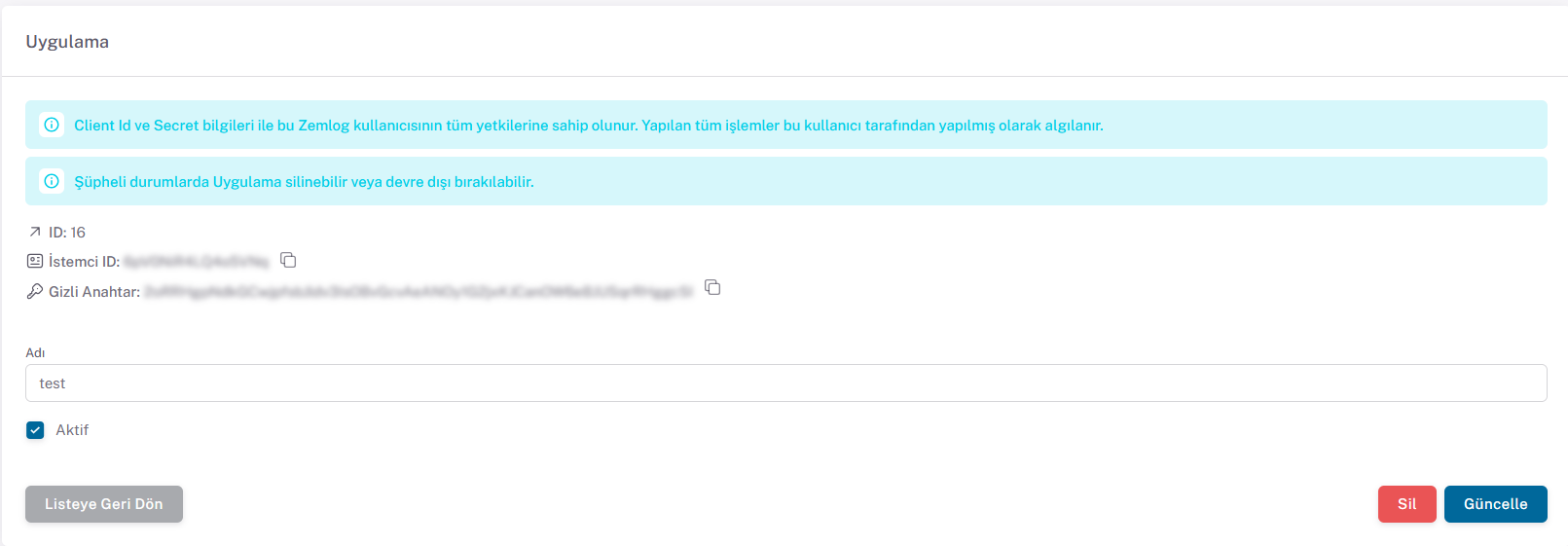
Panel üzerinden İstemci ID ve Gizli Anahtar bilgilerini kullanarak aşağıdaki endpointe istek atılır
Token Alma İsteği
POST: /auth/application
{api_url}/auth/application
İçerik
json
{
  "clientId": "eaeE34e3",
  "secret": "secret"
}
Sample cURL
shell
$ curl -X POST {api_url}/auth/application \
    -d '{
    "clientId": "eaeE34e3",
    "secret": "secret"
}'
Cevap (200)
json
{
  "token": "string"
}
Bu işlemlerden sonra istekten gelen token ile ZEMLOG API'yi kullanarak işlemlerinizi kolayca gerçekleştirebilirsiniz.